.jpg)
You're launching your HR document structuring project. You've validated the tool. Now, the real work begins: building the HR document classification plan. Where to start? What metadata to define? How to organize access rights? Which EDM solution to choose from the software on the market?
Elvire Decremps, HR EDM project manager at Efalia (20+ years of experience), has guided dozens of projects. Local authorities (5,000 agents, 700,000 documents), large international groups (35,000 employees). Always the same method. Always the same questions. Always the same pitfalls to avoid.
Here is her step-by-step method, as if you were attending a project scoping session.
Key takeaways
6 steps to build a solid HR document classification plan:
☐ Understand the philosophy : standardization = imposed rules (rigid but powerful)
☐ Step 1 : Start from existing HR system metadata, not from a blank slate
☐ Step 2 : Structure by department with VAMD rights (View, Add, Modify, Delete)
☐ Step 3 : Define metadata by template (utilize dropdown lists)
☐ Step 4 : Test under real conditions before deployment
☐ Step 5 : Integrate lifecycle and legal retention periods
☐ Step 6 : Validate connections with the employee repository to avoid duplicate entry
Expected result : 40-60% reduction in administrative time. Document search time cut by two-thirds. 85% fewer filing errors.
Before you start: understanding the philosophy of standardization
What you need to know:
Standardizing an HR document classification plan, means imposing common rules across the entire organization through your document management software. No individual freedom in naming. No improvisation with metadata. The same structure for all employee files. The same rights per role.
Why standardize?
1. Single source of truth: The contract signed in March 2024 is in the same place for everyone. No more duplicates.
2. Full auditability: Who viewed? Modified? Deleted? Everything is tracked.
3. Interoperability: Your HR system and document solution communicate. Zero re-entry.
The downside: rigidity
Once deployed, modifying the classification plan can be complex. Changing a mandatory metadata field on 700,000 documents? That's simple (that's the advantage of DMS software) but changing the philosophy of your classification plan because you ultimately want site-based management? Complex!
Table: Ad hoc classification vs. Standardized classification
💡 Key insight:
If you get the initial design wrong, you'll carry those errors for years. That's why it's crucial to get it right from the start.
Step 1: Start with what you have, not a blank slate
Objective:
Thoroughly map out the organization of your current employee files and retrieve existing company metadata (especially from your Human Resources Information System - HRIS) before configuring your HR EDM solution.
Key points:
- List current content: Contracts, payslips, annual reviews, sick leaves, training records, disciplinary actions, medical documents, certifications.
- Retrieve employee master data metadata: Employee ID, name, department, start date, status, end date. This data already exists in your HRIS. Do not re-enter it into your document management software.
Only add missing metadata (contract type, termination date). Start simple, then add complexity.
💡 Elvire's Tip:
"Too often, we start from a blank slate when we should be building on what already exists: the HRIS, existing metadata, and operational needs. The key is to start simple, then add complexity if needed. Not the other way around."
Step 2: Structure by Department and Access Rights
Objective:
Group documents based on "who needs to access what" to create logical subsets with granular access rights tailored to each business role within your HR EDM.
Key points:
→ Organize by HR department:
- Career: contracts, amendments, official documents
- Payroll: payslips, social security declarations
- Training: certificates, certifications
- Health: sick leave, medical examinations
- Recruitment: CVs, interview reports
→ Apply VAMS rights (View, Add, Modify, Delete) by role:
A payroll manager views and adds payslips, but does not modify contracts. A manager views their team's interviews, but does not access payslips. A career manager has full rights over contracts and official documents.
→ Anticipate compartmentalization if necessary : Multi-site organization? Plan for permissions by geographical scope within the solution.
Table: Example of a VAMS rights matrix
Legend: V = View | A = Add | M = Edit | S = Delete
💡 Key insight:
This structure prevents human errors. It's impossible to delete a document without the right permissions. It's impossible to access payslips if you are a manager. The Electronic Document Management (EDM) enforces the rule, not the human.
Step 3: Define metadata by file template
Objective:
Validate mandatory HR metadata by document type to ensure consistent indexing in your software.
Key points:
- Each document type = specific metadata: A payslip ≠ a contract ≠ an annual review.
- Define document templates by type:
- Contract: Type [Permanent, Fixed-term, Apprenticeship], Signature date, Employee ID, Department
- Payslip : Period, Employee ID, Net amount, Status [Validated, To be archived]
- Contract: Type [Permanent, Fixed-term, Apprenticeship], Signature date, Employee ID, Department
- Use dropdown lists : A "Contract" template with a multi-choice "Type" field. Not 3 separate templates. Limit the complexity of your DMS solution.
- Include an end date : An employee leaves in March 2025? Their documents will be moved to archive 5 years later (March 2030).
💡 Elvire's Tip:
"Use lists to avoid multiplying templates. Consider the end date from the start for automatic archiving."
Step 4: Test by simulating real searches
Objective:
Validate the effectiveness of the classification plan before deployment by simulating searches by job role in your document management software.
Key points:
- Simulate persona searches:
- "Training manager: Can I find certificates in under 30 seconds?"
- "Manager: Can I access interviews without seeing payslips?"
- Test multiple scenarios: Quick access, metadata filters, exports.
- Verify permission consistency with business needs: A payroll manager quickly accesses payslips. A manager does not see confidential documents.
- Adjust before deployment : If a scenario is blocked, modify your DMS settings. Two weeks of testing is better than six months of corrections.
💡 Key info:
Test, correct, validate. Then deploy. A well-executed pilot phase prevents 80% of post-go-live issues.
Step 5: Define the document lifecycle and archiving rules
Objective:
Integrate legal retention periods (DUA/DUC) into your document management solution to automate archiving and ensure compliance with GDPR, CNIL, and the Labor Code.
Key points:
- Every HR document has a legal retention period: Not knowing them exposes you to risks during audits.
- Key retention periods:
- Automate rules in your EDM software: Contract January 2020, employee left March 2024 → archiving until March 2029, then deletion.
- Keep it simple initially: Hesitating between 3 and 5 years? Choose 5 years.
💡 Elvire's Tip: "When in doubt, go for the longer option. Keep it simple initially. Hesitating between 3 and 5 years? Choose 5 years. Refine later."
Step 6: Validate connections with the HRIS and existing tools
Objective:
Ensure that information flows continuously from the employee repository to the EDM solution. No duplicate entry. No discrepancy between the HRIS and the document management software.
Key points:
- Daily synchronization : Employee ID, name, department, start date, end date are continuously updated in the DMS. A department change in the HRIS automatically updates the document folder.
- Check the flows between your tools:
- Electronic signature → Document solution
- Payroll → DMS software + digital vault
- HRIS (employee creation) → folder creation in the solution
- Technical integration : CSV, XML, API. The key: continuous, daily, reliable.
- Eliminate re-entry : Do your managers re-enter employee IDs between the HRIS and your software? You're losing out. Integrate everything.
💡 Key insight:
Every action triggers a consistent update in the EDM. No re-entry. No oversights. No discrepancies. Essential for efficiency.
Conclusion: A well-designed HR document structure isn't simply mandated
A solid HR document structure is built step by step via a proven HR document classification plan . Start with what you have. Structure by department and permissions. Test before deployment in your EDM solution. Integrate legal retention periods. Integrate your document management software with your existing tools.
Result? 40-60% administrative time savings. Single source of truth. Compliance guaranteed. Managers spend less time searching, creating more value.
Elvire Decremps' method has been tested on dozens of projects. It works. It avoids pitfalls. It ensures quick adoption of your HR DMS.
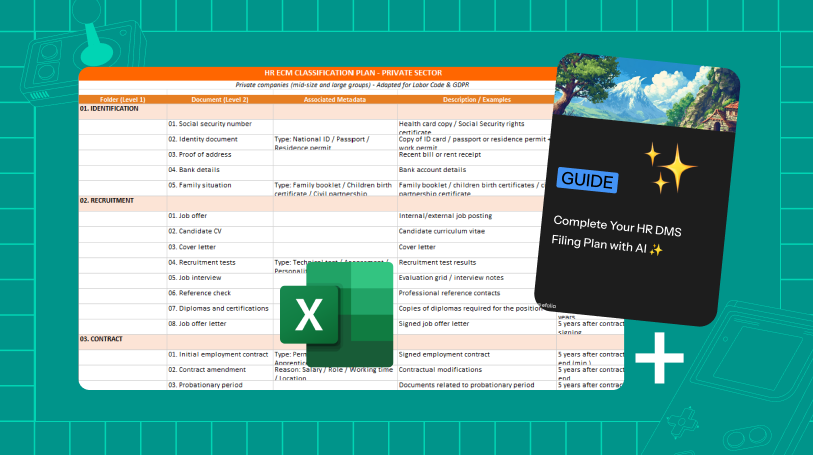
👉 Download our HR classification plan template
👉 Need support? Contact our team