Key takeaways
- What it is: a ready-to-use virtual machine image that bundles an application, its operating system and all its dependencies — already configured.
- Why use it: fast deployment, reduced attack surface, maintenance handled by the vendor, data hosted in your own infrastructure.
- Who it's for: IT teams looking for a middle ground between SaaS (loss of control) and traditional On-Premise (high operational workload).
- Watch out: a Virtual Appliance is not a “black box”. It can be monitored, audited and integrated with your existing security tools.
What is a Virtual Appliance?
A Virtual Appliance is a ready-to-use software solution, delivered as a virtual machine image. It bundles into a single package: the application, its operating system and all of its dependencies — already configured and optimized for a specific use case.
It deploys on a virtualization platform such as VMware or VirtualBox. No lengthy installation, no configuration from scratch.
It relies on a simple principle: one Virtual Appliance = one application service. Each Appliance is autonomous and isolated. If one of them goes down, the others keep running. Business continuity becomes considerably simpler.
Its position in the ecosystem is strategic. It sits between SaaS and On-Premise:
SaaS takes the load off your shoulders, but you lose control. On-Premise gives you full control, but you carry all the weight. The Virtual Appliance reconciles the two.
What is the difference between a virtual machine and a Virtual Appliance?
The confusion is common. Both rely on virtualization. But their purpose is different.
A virtual machine (VM) is a blank environment. It emulates a complete computer — processor, memory, storage, network — through a hypervisor. It's a blank page: you install what you want, you configure it as you see fit. Maximum flexibility, maximum workload too.
A Virtual Appliance is a VM preconfigured for a specific use. The vendor has done the work upfront: operating system installation, deployment of the application components, secure configuration. You get a turnkey environment, immediately operational.
Three concrete differences:
- Granularity. A VM can host several services. A Virtual Appliance hosts only one — by design.
- Responsibility. On a VM, you manage everything. On a Virtual Appliance, the vendor handles security monitoring, patches and system component updates.
- Attack surface. A Virtual Appliance is deliberately minimalist. Only the strictly necessary components are present. Unnecessary services are absent. Unneeded ports are closed.
The result: fewer attack vectors, less risk of configuration drift.
Why use a virtual appliance?
Four reasons come up consistently among IT teams adopting this model.
1. Fast deployment. The image is ready. No lengthy installation phase, no complex setup. You load the image onto the hypervisor, configure the network following the vendor's recommendations, and it's up and running.
2. Security by design. The “Secure by Design” approach is at the heart of the model. At Efalia, for example, each virtual image ships only Debian 12, Ansible for deployment automation, and a dedicated system user for maintenance operations. Nothing more. A restrictive firewall is active by default: only the ports required for the application to run are open.
3. Data control. Unlike SaaS, your data stays in your infrastructure. You manage backups, snapshots and restores on your hypervisor. The vendor has no access to your data.
4. Shared maintenance without losing control. The vendor handles CVE monitoring, vulnerability tracking and the delivery of tested patches. But the customer keeps control over maintenance windows and access terms. Without your explicit authorization, no intervention is possible.
This shared responsibility model is clear and documented:
Some examples of Virtual Appliances
Here are concrete use cases, by type of challenge.
Challenge: managing sensitive documents internally without outsourcing data
A public organization or a company subject to regulatory constraints (healthcare, defense, finance) cannot entrust its documents to a shared SaaS. A Virtual Appliance DMS makes it possible to host the document management solution in its own datacenter, with the monitoring and auditability required to meet compliance requirements.
Challenge: quickly deploying an application solution across multiple sites
A group with several geographic entities needs to standardize its infrastructure without multiplying custom configurations. Each site deploys the same Virtual Appliance image: same version, same base configuration, same security level. Updates roll out consistently across the board.
Challenge: reducing the attack surface without adding to the IT team's workload
A security team wants to limit the risks associated with unnecessary components on its application servers. A minimalist Virtual Appliance — containing only the strictly necessary — mechanically reduces attack vectors. The vendor takes care of keeping it in secure operating condition.
Challenge: monitoring an application without direct system access
Contrary to popular belief, a Virtual Appliance is not a black box. It integrates with existing monitoring tools via SNMP (Zabbix, Nagios), events flow into the SIEM through the EDR, and application logs are accessible via REST API. Full visibility, without permanent root access.
How do you deploy a virtual appliance?
Deployment follows a six-step sequence, with a clear split of responsibilities between the customer and the vendor.
- Prerequisites — The customer consults the vendor's documentation to identify the required resources: hardware, network, security rules.
- Resource allocation — The customer allocates resources on their hypervisor (CPU, memory, storage).
- Image deployment — The customer loads the virtual image and configures the network following the vendor's recommendations.
- Application installation — The vendor installs the application components and dependencies via secure SSH access, ideally through a bastion host.
- Ongoing security maintenance — The vendor handles security monitoring, CVE tracking and the delivery of validated patches.
- Updates — Depending on the solution, updates are performed through a graphical admin interface or via SSH, within maintenance windows defined by the customer.
A practical tip on network exposure: a Virtual Appliance is not designed to be exposed directly to the Internet. If external access is required, use a reverse proxy — it centralizes exposure and simplifies TLS certificate management. On the certificate side, a private Certificate Authority (CA) is recommended for internal environments: it reduces dependency on external authorities and adapts to your IT system's own security policies.
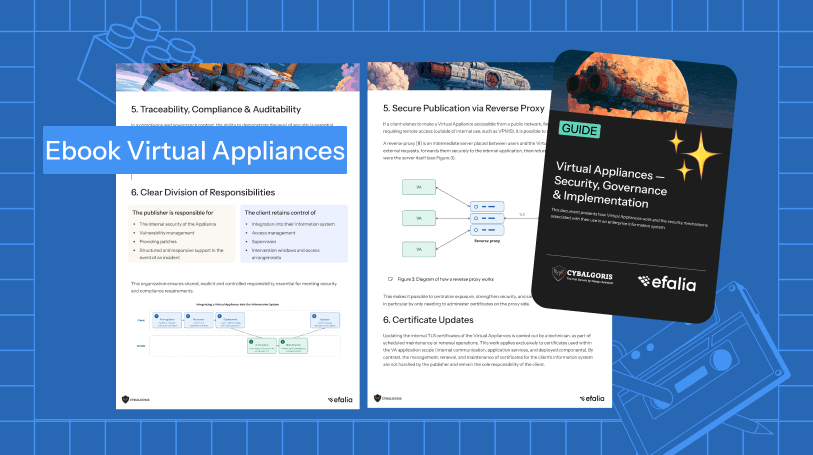
Want to go further on security, governance and technical implementation? We have written a complete guide on the subject.
👉 Implementing a Virtual Appliance — Download our premium resource: security, monitoring, certificate management, SIEM/EDR integration and technical FAQ.
Frequently asked questions
Is a Virtual Appliance a “black box”?
No. It is closed by design to limit uncontrolled changes, but it is not opaque. It exposes its metrics via SNMP, embeds an EDR, feeds events into your SIEM and provides application logs via REST API. It's a closed box, not a blind one.
Who manages the security updates of a Virtual Appliance?
The vendor handles CVE monitoring, qualifies the risks and delivers tested patches. The customer keeps control of maintenance windows and decides when to apply the updates.
Does my data stay in my infrastructure?
Yes. It is one of the fundamental advantages of the model compared with SaaS. Your data is hosted in your own IT system. You manage backups and snapshots. The vendor has no access to it.
Can we monitor a Virtual Appliance with our existing tools?
Yes. Via SNMP for Zabbix or Nagios (CPU, memory, storage, service status), via EDR for threat detection, and via SIEM for event correlation. The Efalia Doc and Safe Virtual Appliances also expose their application logs through a REST API.
What is the difference between a Virtual Appliance and a container (Docker)?
A container shares the host operating system's kernel. A Virtual Appliance embeds its own complete OS. This means stronger isolation, a heavier footprint, but also more autonomous management — particularly regarding security and compliance in enterprise environments.