Your DMS, inside Copilot, Claude, or ChatGPT. With individual user permissions.
Using their usual assistant, your teams can search, read, file, and complete DMS documents without ever opening the interface. Everyone acts according to their specific permissions within the DMS—nothing more, nothing less.
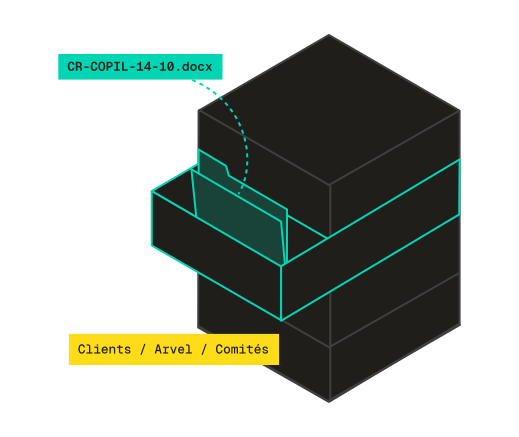
Request my 30-minute demoFile this meeting report in the Arvel folder and note the steering committee date.
2,800+ Efalia clients






Drives are poorly organized.
Few people want to open the DMS.
So documents end up in shared folders, email attachments, and on desktops. And the AI connected to them reads the wrong version, or whatever happens to be lying around.
Connect AI to drives
It reads drafts, duplicates, and files that the person should never have opened.
Train everyone on the DMS
The interface is off-putting, teams bypass it, and the well-organized DMS remains unused.
A door was missing.
With a lock.
Instant Memory is the native MCP connector for Efalia Doc. It allows an assistant or AI agent to search, read, file, and complete DMS documents from within its own environment, using the permissions of the person acting.
A sentence in the assistant.
The action in the DMS.
Instant Memory gives everyone's assistant the capabilities of a DMS. It acts with the user's identity: it reads what they are authorized to read, and it files where they are authorized to write.
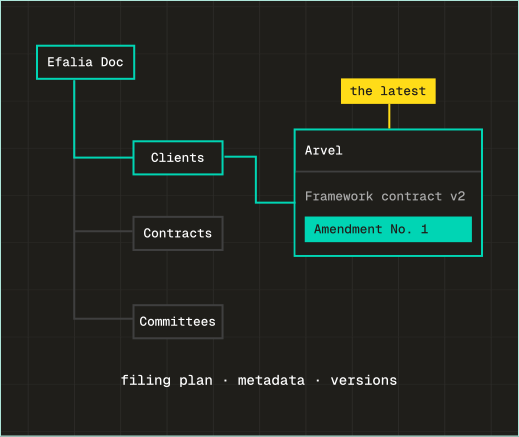
What is an MCP connector?
The Model Context Protocol is an open standard that allows AI assistants to use tools and data sources. Instant Memory is the MCP connector for your DMS: your assistants use it to search, read, and file.
Do you always need an MCP connector?
For your software and high-volume processing, the Efalia Doc API synchronizes, creates, and modifies folders and all their associated documents. Instant Memory is for people and their agents; the API is for your applications.
The single source of truth for documents,
as simple as a connector.
You design the filing system once. Your teams and their agents organize files as they go, directly from their assistant. The DMS stays clean, and the entire company accesses it through the same gateway, each with their own permissions.
Same question, two answers. That is by design.
The DMS determines what the assistant can open before any reading takes place, and where it can file before any writing occurs. A permission revoked this morning applies to this afternoon's query.
What are the penalties in the Arvel contract, and how were they negotiated?
Same permissions as in the DMS, on a per-person basis.
Read and write: the assistant only files documents where the user has write permissions.
Verified for every action
Access tracked in the DMS
See it in action. Search, read, and file a document from your assistant, using two profiles to see how permissions are applied.
Request my 30-minute demo
For IT departments
DMS permissions verified for every action, access logs tracked, no parallel databases to secure. The API for your integrations.

For business departments
Find, read, or file a document in one sentence, without searching for the file or opening the DMS.

For management
DMS accessible to the entire company, without training everyone on its interface. Included with Efalia Doc.
What your teams are doing with it from the very first week.
Search, read, file, complete: one sentence in the assistant.
Need to query an entire corpus or perform calculations across hundreds of contracts? That’s what Semantic and Entity Memory are for.
See the range →Your AI, your model. Our DMS.
Instant Memory speaks MCP, the standard being adopted by market-leading assistants. It connects to the tools your teams are already using.





Three ways to connect your documents to an AI
Et votre GED devient un corpus IA ready.
Instant Memory branche vos IA sur votre GED. Deux mémoires complémentaires préparent vos documents pour des usages plus exigeants, et Instant s'y connecte de la même façon, toujours sous vos droits.
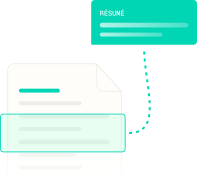
L'IA lit à la demande
Résumer un contrat, comparer deux devis, extraire les clauses d'un CCTP. Quelques documents traités à la volée, sans projet IA complet à monter.
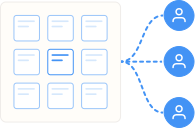
L'IA explore un corpus
Chatbot citoyen, FAQ interne, helpdesk technique, base de procédures qualité. Un corpus stable interrogé par beaucoup, avec un coût par requête maîtrisé.
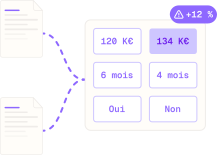
L'IA raisonne sur des données
Analyse d'appels d'offres, pilotage de conformité, veille contractuelle. Là où d'autres IA explorent du texte, Entity calcule, compare et alerte.
FAQ
MCP server, MCP connector: are they the same thing?
Yes, from a user perspective: the MCP server is the program that exposes your EDM, and the connector is what you add to your assistant to reach it. MCP (Model Context Protocol) is an open standard that allows an AI assistant to use an external tool. Instant Memory is the native MCP server for Efalia Doc, delivered with the EDM.
How do I connect my document management system to Claude?
You add the Efalia Doc connector to Claude, log in with your document management account, and Claude can search, read, and file your documents within the limits of your permissions.
Does Instant Memory work with ChatGPT and Copilot?
Yes, with any assistant that supports MCP connectors. The process is identical: the assistant acts within your document management system using the permissions of the logged-in user.
Can the AI modify my documents?
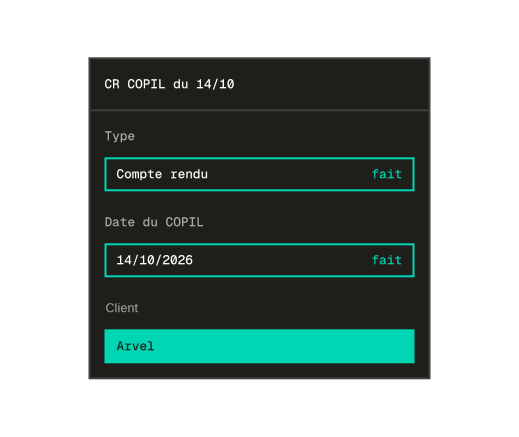
It can file a document and fill in its metadata, if your permissions allow it. This is what makes the document management system as simple as a drive: you ask your assistant to file something, and it files it in the right place. Actions remain tracked within the document management system.
How are access rights respected?
The connector relies directly on the document management system's permissions: there is no second access policy to maintain. If a user cannot see something in Efalia Doc, their assistant cannot see it either.
Do documents need to be indexed beforehand?
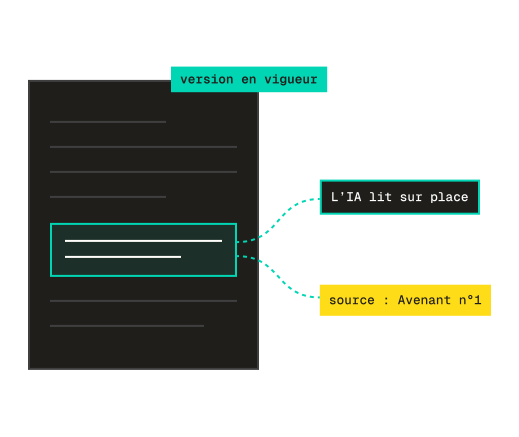
No. Instant Memory reads documents on the fly, at the moment the question is asked. It is ideal for working on one or a few documents. To query an entire corpus at once, that is the role of Semantic Memory.
How is this different from the Efalia Doc API?
The API is used for software integrations: synchronizing, creating, or modifying folders and their contents in bulk. Instant Memory is for people, through their AI assistant, for day-to-day work.
Ask a question, file a document. We set up Efalia Doc and Instant Memory on a small scale: one cabinet, one team, the assistant you already use. You see how your teams use it before scaling up—and you leave with a checklist of things to verify before connecting your own.
What happens next. A consultant will email you to schedule a 30-minute slot.
- your assistant connected to a demo document management system
- a document searched for, read, and then filed, all from the assistant
- the same question asked by two different profiles, and what each one receives
Place the landing page demo form here, then delete this text.